Levia Scripts Levia Scripts
TOP CUSTOMER Customer Name Total: 0.00 USD
Join our community 0 Online
LIMITED OFFER SAVE10
Levia Scripts Levia Scripts
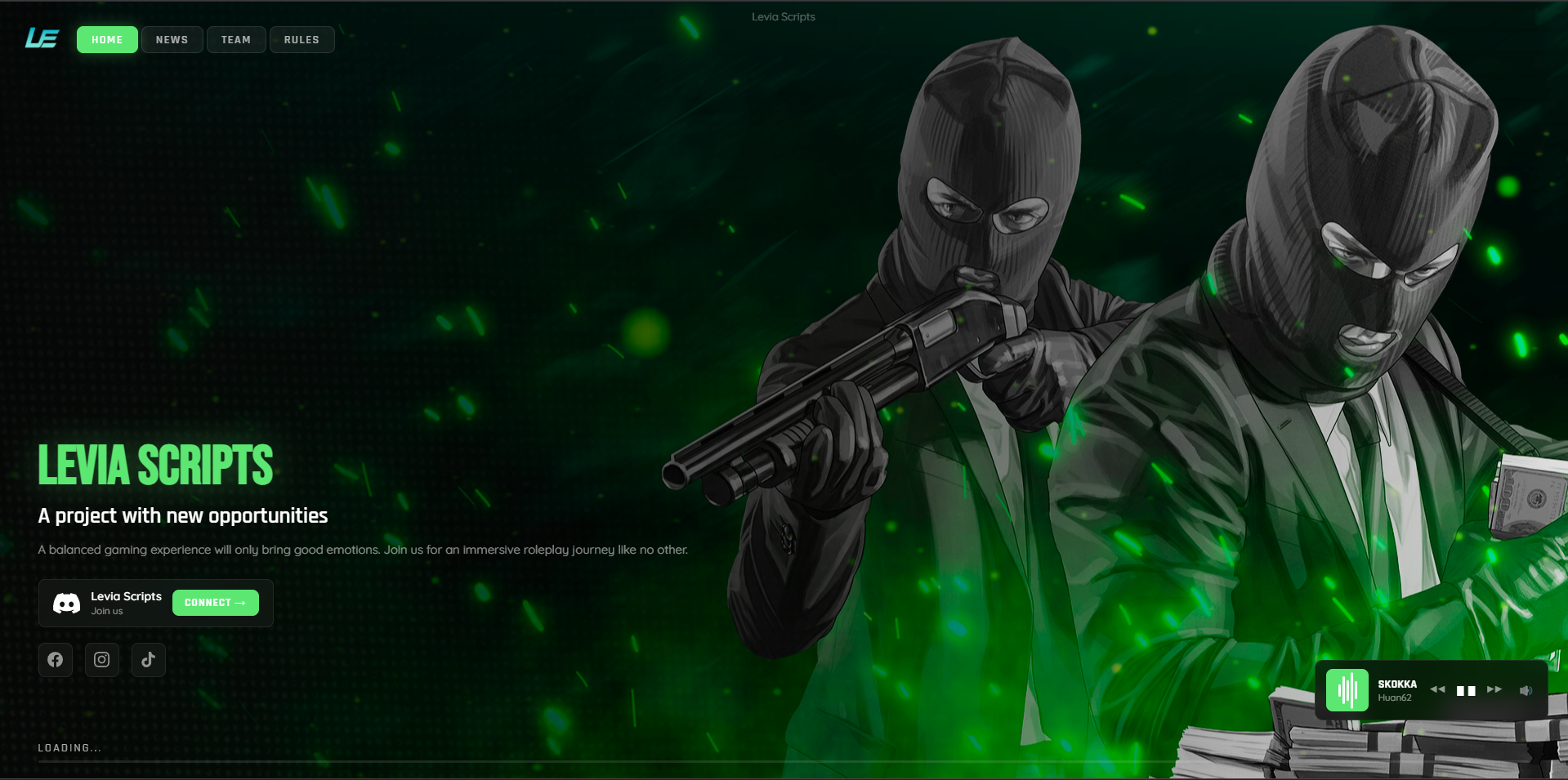
Loading Screen
DETAILS
PREMIUM FIVEM LOADING SCREEN

LEVIA
LOADING
SCREEN

An immersive, feature-rich, and framework-agnostic entry point for FiveM servers. Create an unforgettable first impression with cinematic visuals, integrated music systems, dynamic staff showcases, and a modern premium experience from the moment players connect.

Cinematic Experience
YouTube Integration
High Performance

Cinematic Visuals

Supports high-quality MP4 video backgrounds or static image modes with smooth transitions and immersive visual presentation.

Integrated Music Player

Built-in autoplay music system with volume controls and YouTube integration for a premium loading experience.

Informative Hub

Display staff members, server rules, social media links, announcements, and real-time loading progress.

Framework Agnostic

Works instantly with ESX, QBCore, QBX, or any custom framework setup without additional dependencies.

WHY THIS LOADING SCREEN?

Built To Create
An Unforgettable
First Impression

Most loading screens are static and forgettable. Levia Loading Screen was engineered to deliver a cinematic and immersive experience that instantly shows players the quality and professionalism of your server before they even spawn in.

FRAMEWORKS
Standalone / ESX / QB / QBX
DEPENDENCIES
None - Pure Standalone
OPTIMIZATION
Zero Resource Usage After Load
PROTECTION
FiveM Asset Escrow
KEY CAPABILITIES

Premium Features

01 — Cinematic Backgrounds
Use high-quality MP4 videos or static wallpapers to create a unique immersive environment for your community.
02 — Dynamic Information Panels
Showcase your staff team, server announcements, rules, social media links, and community updates in real time.
03 — Audio Experience
Integrated music system with autoplay functionality, volume control, and seamless YouTube support.
04 — Fully Configurable
Easily customize colors, texts, logos, media files, social links, and all visual elements through a simple config.js file.
INSTALLATION

Quick Setup

01 — Folder Deployment
Extract the downloaded package and place the Levia_LoadingScreen folder inside your server resources/ directory.
02 — Ensure Resource
ensure levia_loadingscreen
03 — Customize Your Server
Edit the configuration files to modify colors, server texts, media assets, social links, staff members, and loading screen visuals.
02 — PACKAGE

Loading Screen

FREE